
[ Docs ]
Overview
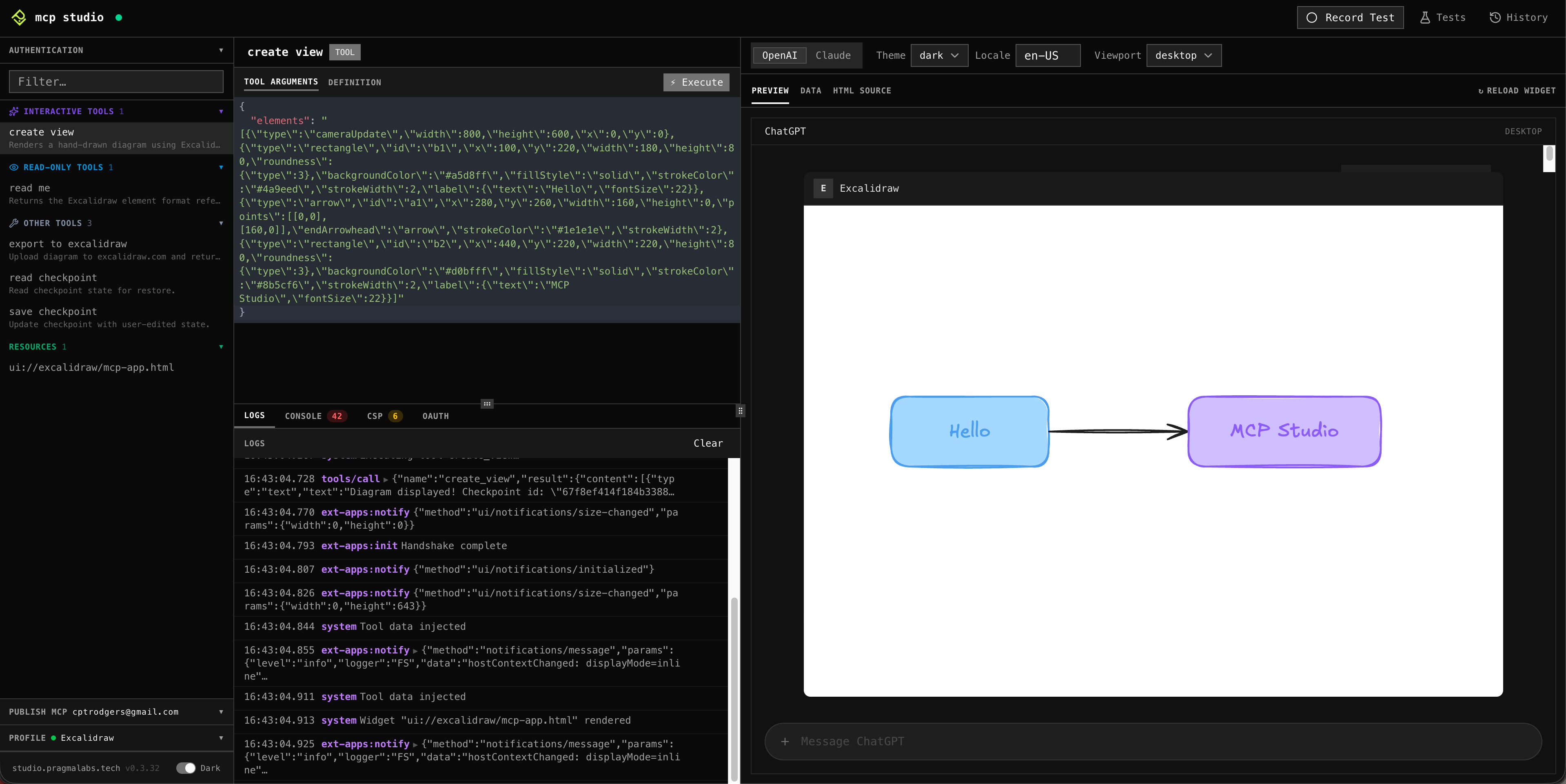
MCP Studio is a local testing tool for MCP applications. It lets you test widget UI, call tools, and automate end-to-end tests by replaying your interactive steps without writing code. Designed for both humans and agent tools (Claude Code, ChatGPT, Copilot, and others) via MCP.
Install
npx
No install needed. Run once or try it out.
$ npx @pragmalabs/mcp-studioscript
Installs the binary to ~/.local/bin. Best for Linux or if you don't use Homebrew.
$ curl -fsSL https://studio.pragmalabs.tech/install.sh | shhomebrew
Recommended for macOS. Managed installs and easy upgrades with brew upgrade.
$ brew tap pragmalabs-tech/mcp-studio
$ brew install mcp-studio
Opens at localhost:7777
Supported Platform and MCP Methods
Platform
- macOS
- Linux
MCP methods
- Tools
- Resources
- OAuth 2.1 + PKCE
- Bearer token
- Custom headers
What you can do
Connect an MCP App
Add a profile with your MCP server URL and authentication credentials.
Manual testing
Call tools, read resources, and interact with widgets live in your browser.
Automation E2E Testing
Record a session and turn it into a repeatable test.
Testing with real AI
Expose your local server to a public URL and connect it to ChatGPT, Claude, or Copilot.