
[ E2E Testing ]
Replay Test
Open the Tests panel, pick a saved test, and run it. MCP Studio replays every recorded step against the live server and checks each result against the saved baseline. You can step through one action at a time or let the full suite run automatically.
Tests panel
The Tests panel lists all saved tests. Click any test to expand it and see its recorded steps, then choose how to run it.
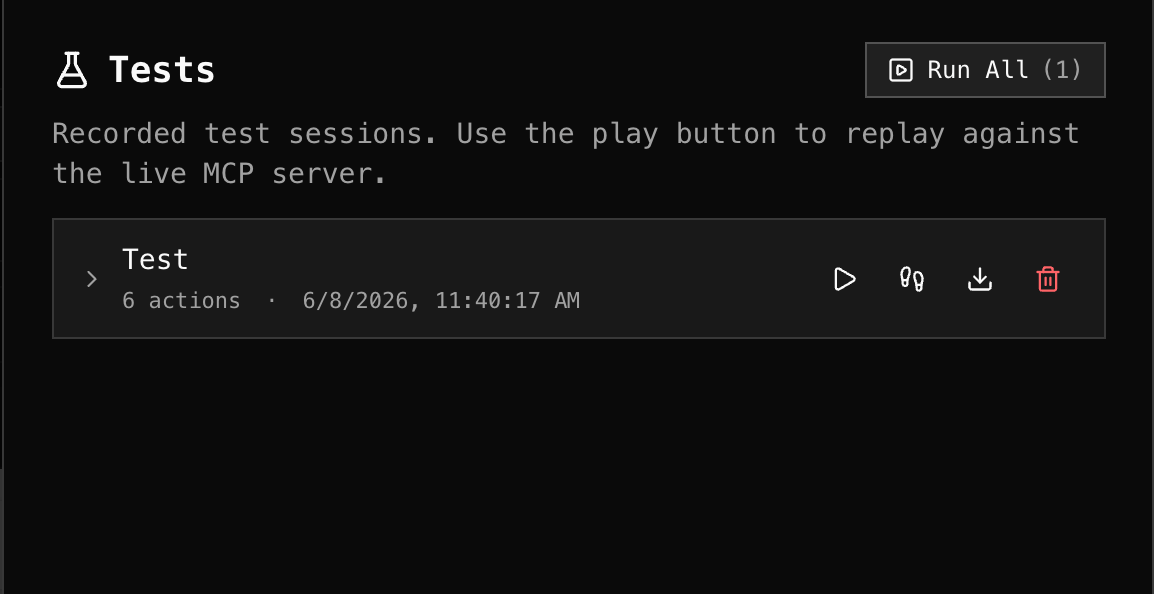
Step-by-step
Use the step controls to advance one action at a time. Each step shows its live result inline next to the recorded baseline so you can pinpoint exactly where something differs before continuing.
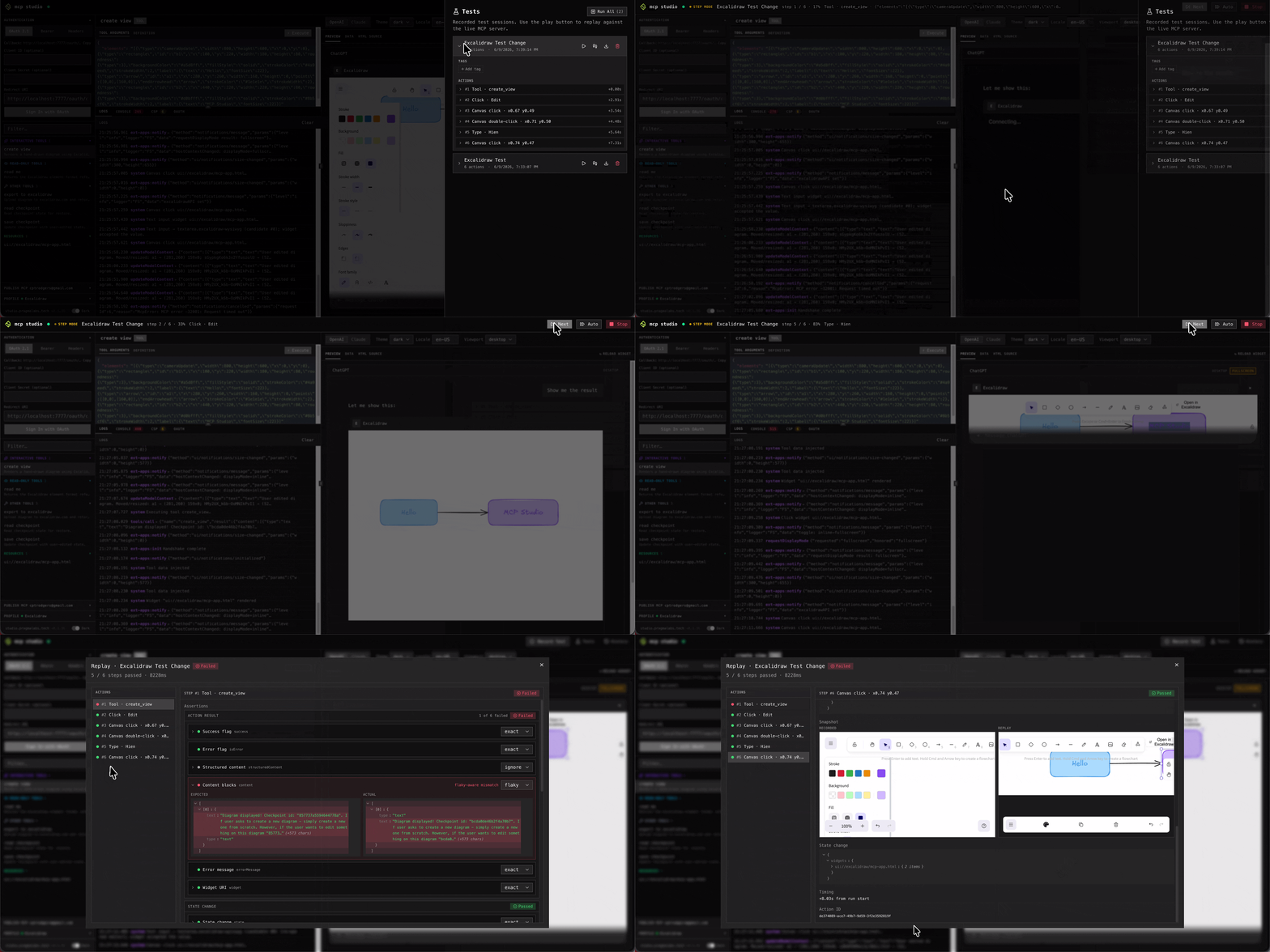
Full replay
Click Run to replay the entire test automatically. Every step is executed in sequence and checked against its saved assertions. A pass/fail report is shown at the end.
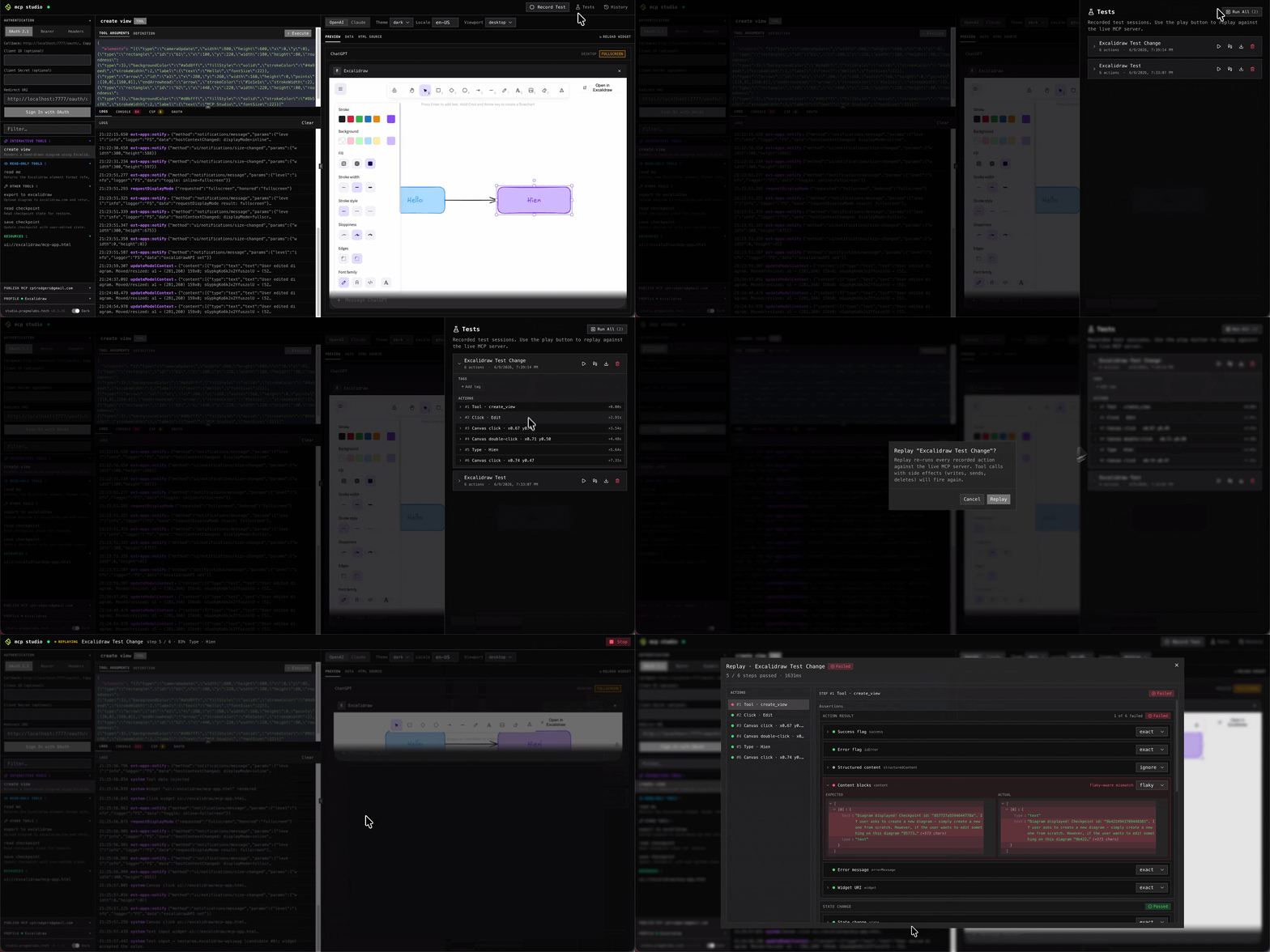
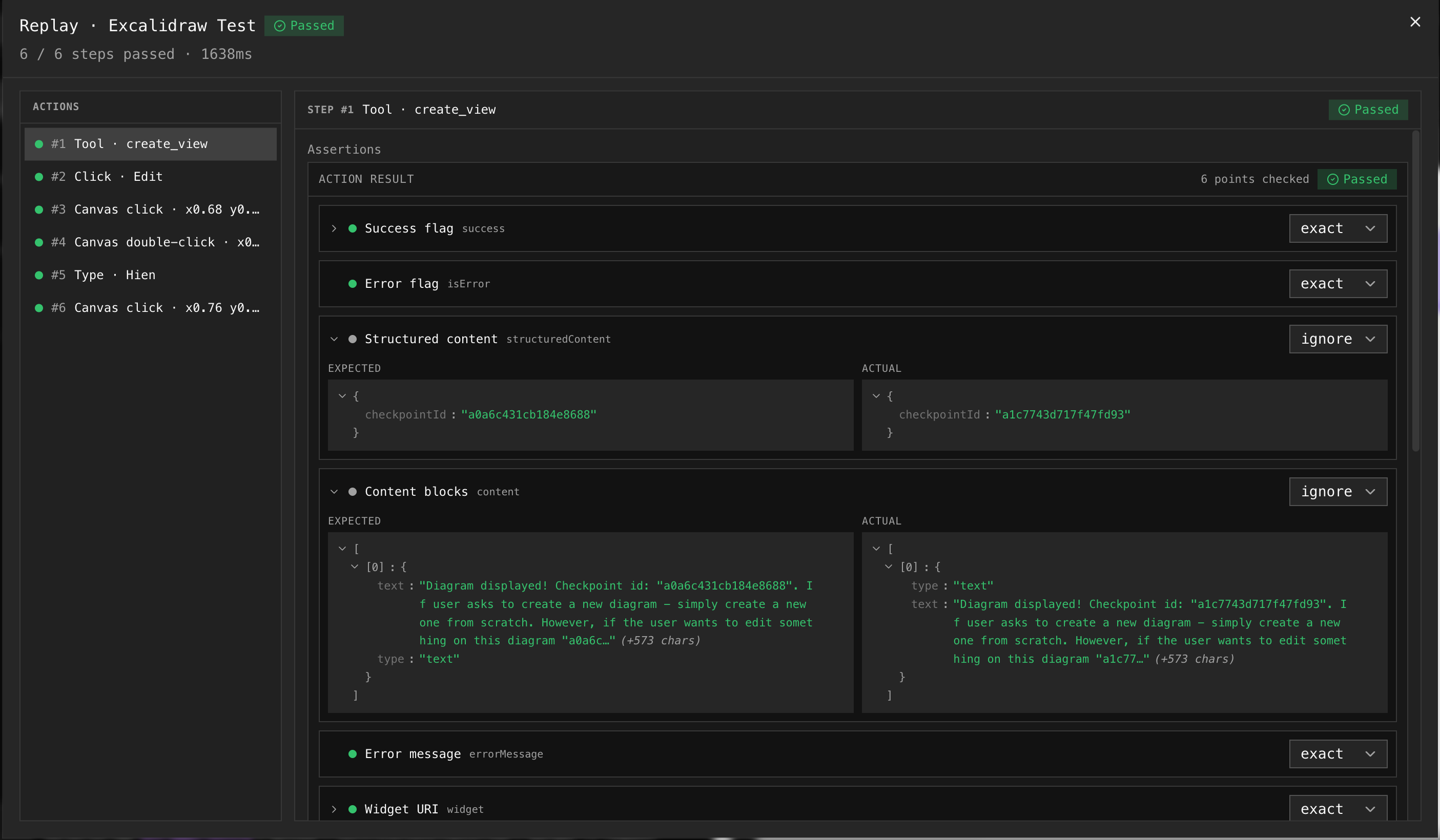
Run history
Every replay is saved to the run history. Open the history drawer to browse past runs, compare results across runs, and re-inspect any previous pass/fail report without re-running the test.
Tip — run after every release
Switch to the target profile and run the full suite after each deploy. The history lets you compare the new run against the previous one to spot regressions instantly.