[ Features ]
MCP Authentication
MCP Studio supports OAuth 2.1 + PKCE, Bearer token, and custom headers. Each profile stores its own credentials, so switching profiles also switches auth. For OAuth, a built-in debugger lets you trace every step of the flow and inspect the issued token.
Auth methods
OAuth 2.1 + PKCE
Full Authorization Code + PKCE flow. MCP Studio handles discovery, dynamic client registration, user authorization, and token exchange automatically. Tokens are stored per origin and refreshed when they expire.
Bearer token
A static token sent as Authorization: Bearer <token> on every request. Paste it in the profile's Bearer field.
Custom headers
A JSON object of arbitrary HTTP headers attached to every request. Useful for API keys, tenant IDs, or multi-header schemes.
None
Requests go out unauthenticated. Use this for local servers that do not require auth.
Connect with OAuth 2.1
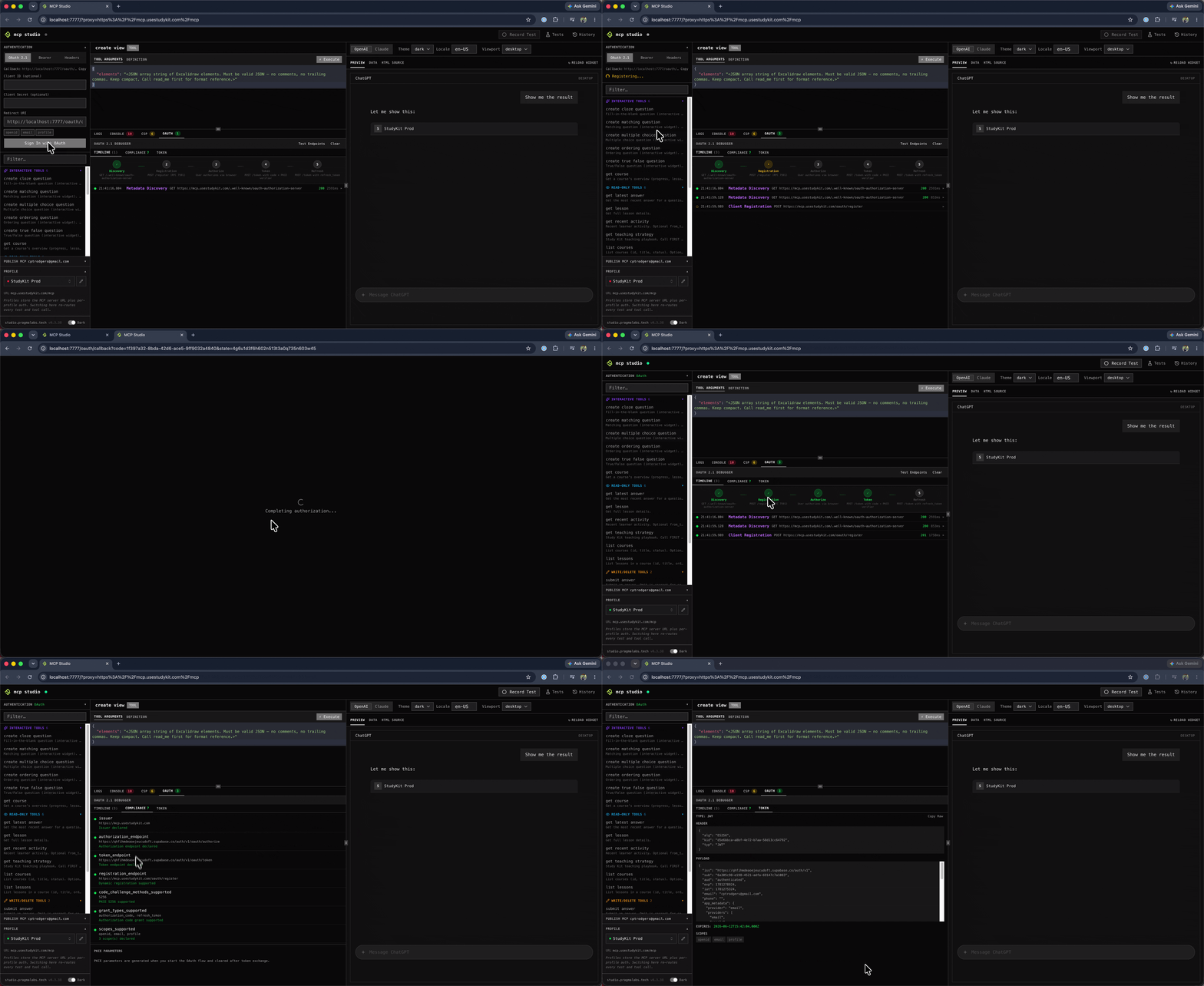
Select OAuth as the auth method for a profile, then open the Authentication panel in the sidebar and click Sign In with OAuth. MCP Studio runs the full flow in the background — discovery, registration, user authorization, and token exchange — and turns the status dot green when connected.
- 1
MCP Studio discovers the server's OAuth metadata from /.well-known/oauth-authorization-server.
- 2
It registers a client dynamically via RFC 7591 if the server supports it.
- 3
A browser popup opens for the user authorization step.
- 4
After approval, MCP Studio exchanges the authorization code + PKCE verifier for a token.
- 5
The token is stored in browser storage keyed by origin and used on every subsequent request.
OAuth debugger
When OAuth is active the debugger panel appears alongside the authentication panel. It has three tabs that give you full visibility into the flow — useful for diagnosing connection failures or verifying your server's OAuth implementation.
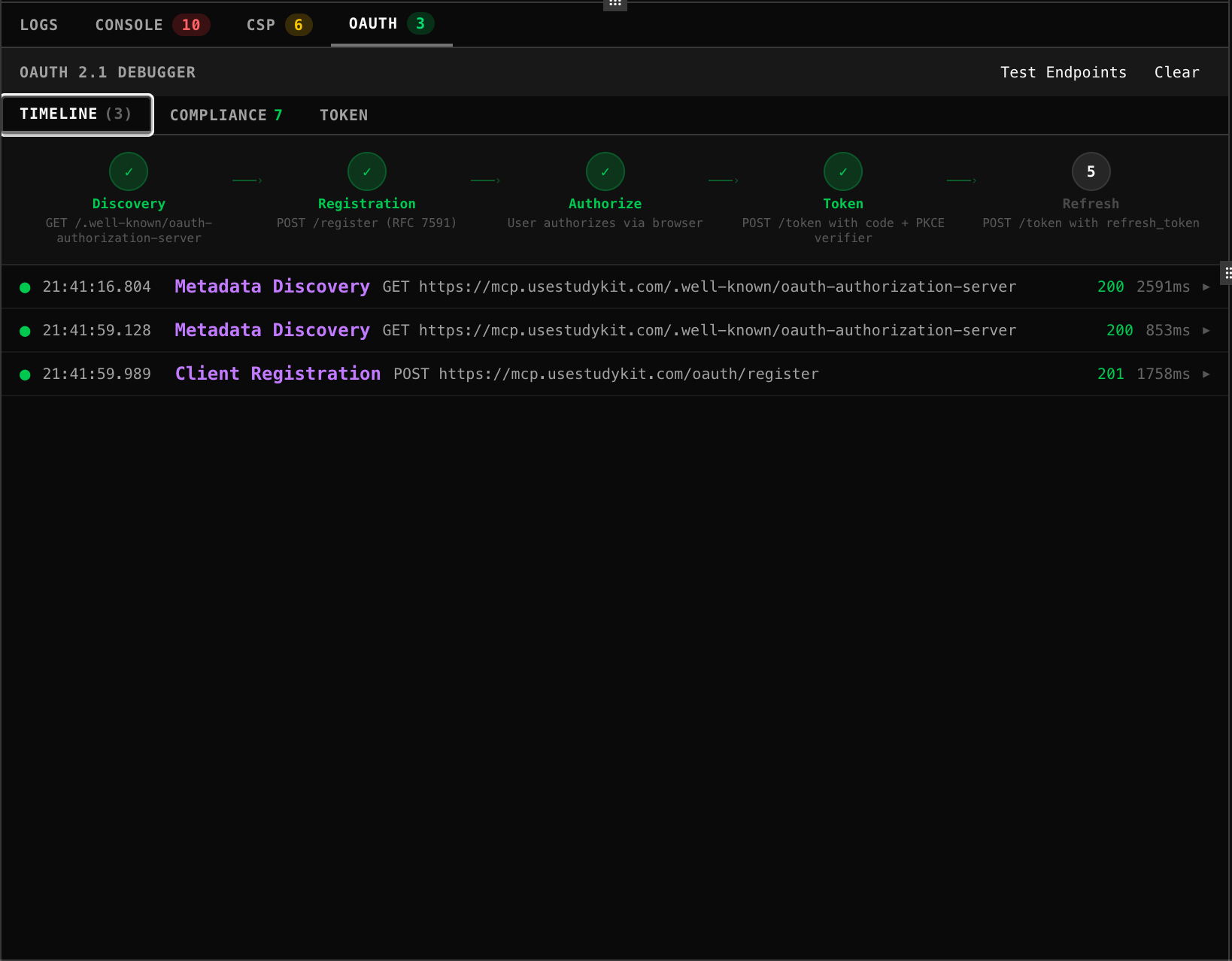
Timeline
A live log of every OAuth step — Discovery, Registration, Authorize, Token, Refresh — with status indicators and the full request and response for each. Click any entry to expand the HTTP details. A flow visualization at the top shows which steps passed, are pending, or failed at a glance.
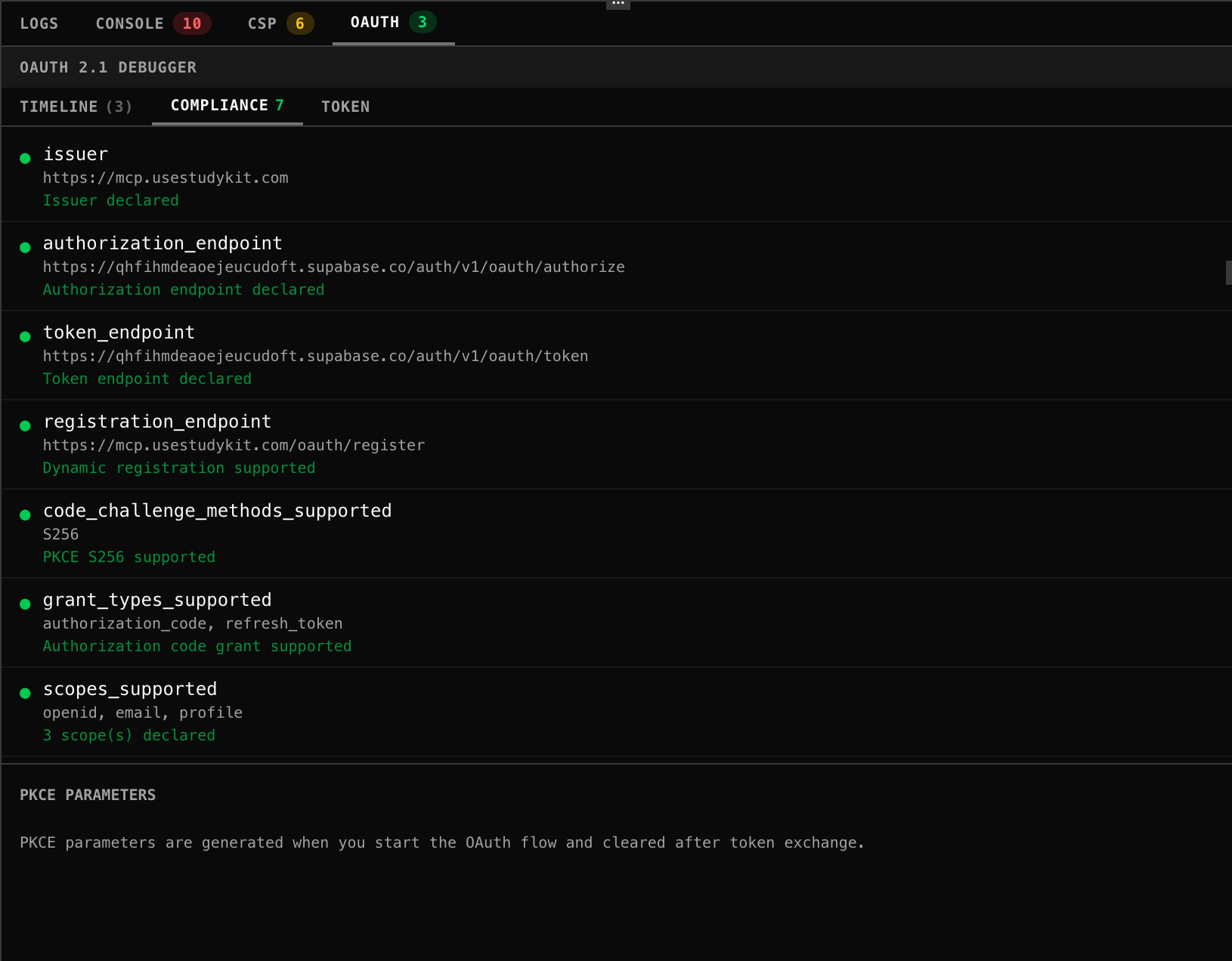
Compliance
Validates the server's OAuth metadata against the MCP specification.
Each field is checked and marked pass, warn, or fail. PKCE parameters (code_verifier and state) are also
shown here while a flow is in progress.
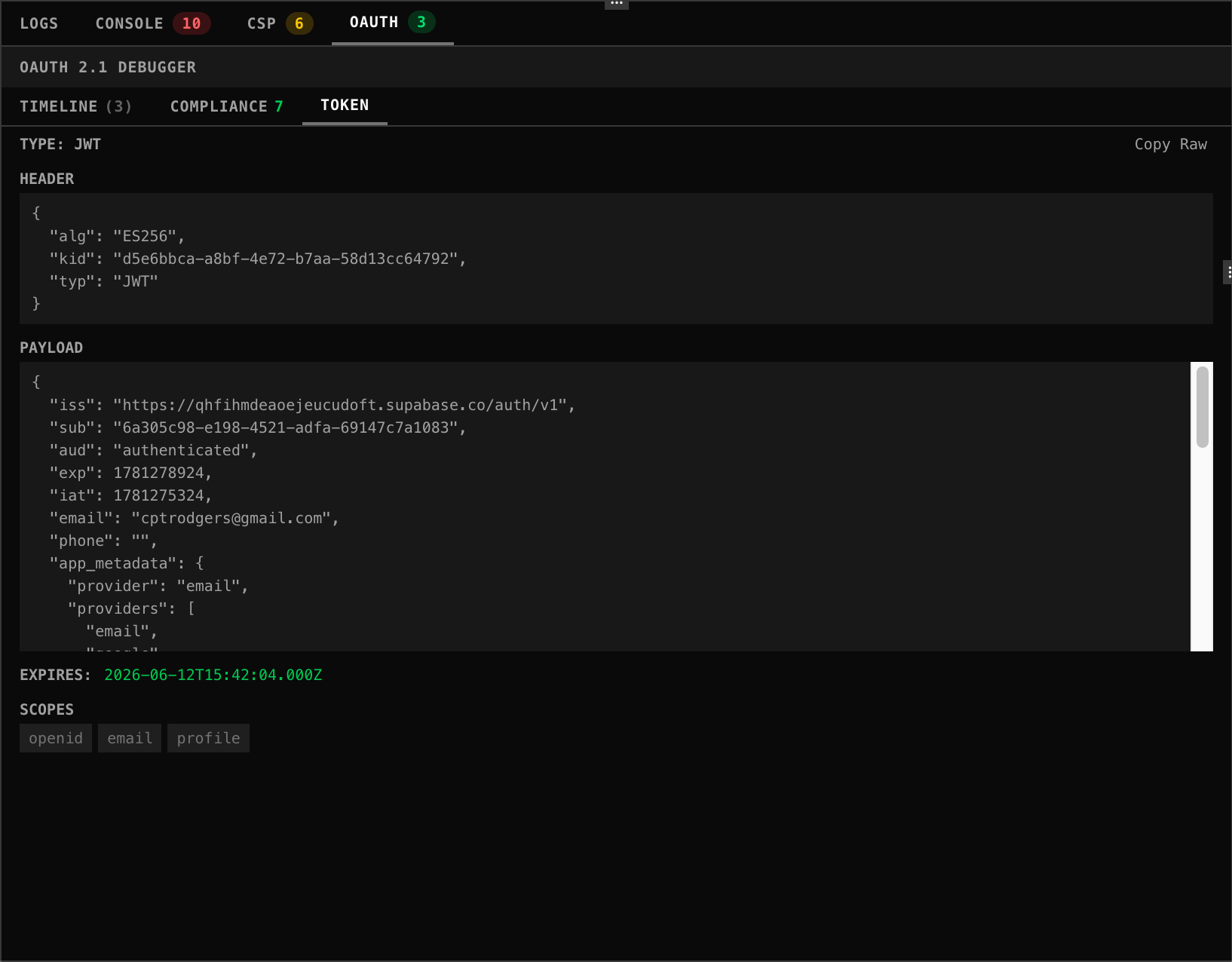
Token
Decodes and displays the issued token. For JWT tokens the header and payload are shown in full, along with granted scopes and expiry time. Opaque tokens are shown as raw. You can copy the raw token directly from this tab.